
The script list
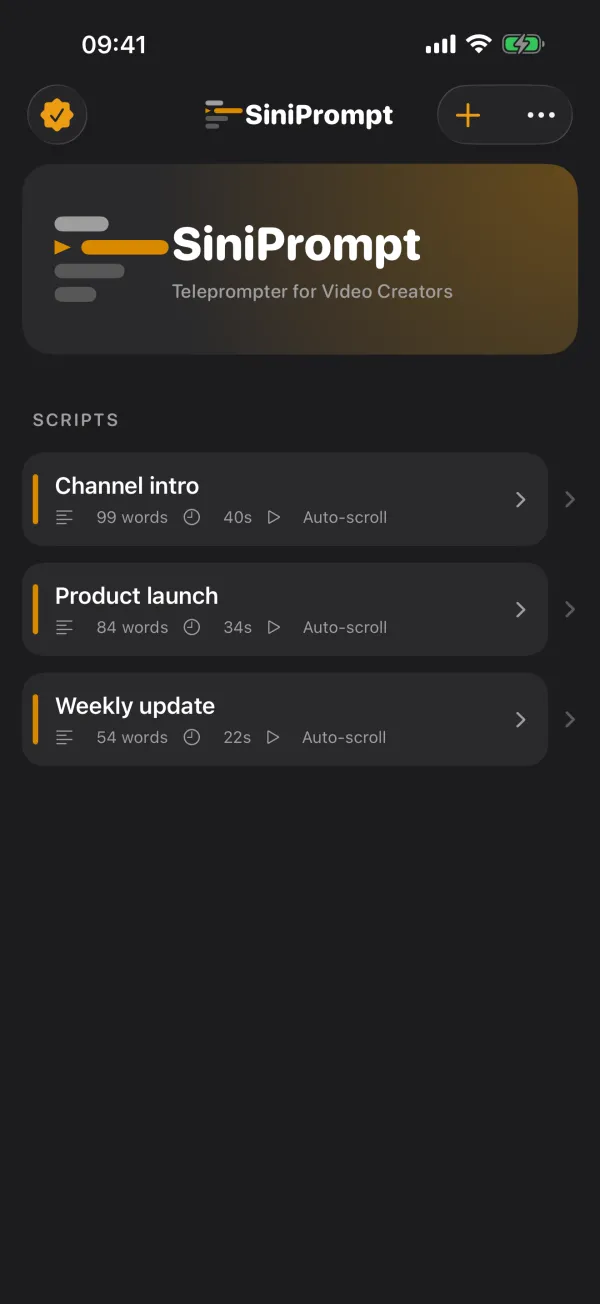
The app's home screen lists all scripts, most recently changed first. Each row shows the title, word count, estimated time, the mode (Auto-scroll or Follow my voice) and, if there are any, the number of recordings next to a film icon.
A yellow dot marks scripts you have not opened yet, such as one you just created. It disappears once you open the script.
New script
Tap + (New Script) at the top right. SiniPrompt creates "Script 1", "Script 2" and so on, using the default prompter settings.
Rename and delete
- Swipe left on a script in the list or long-press it to see Rename and Delete.
- You can also change the title directly in the Title field of the script view.
- Delete takes effect immediately, without confirmation and without undo. Videos in the Photos app are kept.
The editor
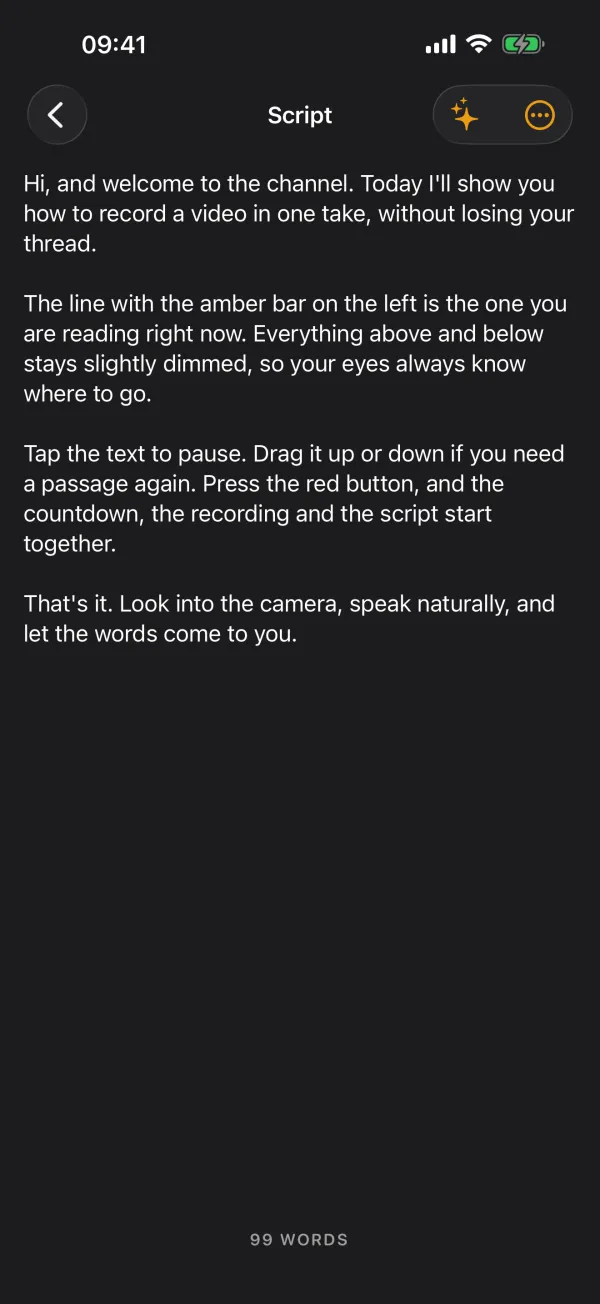
Open a script and tap the text preview in the Script section. The editor takes plain text. A live word count sits at the bottom. Done above the keyboard closes it.
Tips for a script that reads well:
- Write short sentences and start a new paragraph where you want to breathe. Blank lines are kept in the prompter.
- Write abbreviations and tricky names the way you say them, so you do not stumble while reading. Plain numbers such as "2026" are skipped when "Follow my voice" matches words, so they do no harm.
- Long texts can be made more speakable or shorter with the AI script tools.
Pasting text and importing files
In the editor, Import opens a menu:
- Paste from Clipboard: inserts copied text. Greyed out if the clipboard holds no text.
- Import File…: loads a .txt or .md file from the Files app, iCloud Drive or another location. Files are read as UTF-8; older ISO Latin-1 files work too.
- Clear Script: deletes the whole text of the script, without confirmation.
If the script is empty, the imported text replaces it. If it already has text, the new text is appended after a blank line. If the script still has its placeholder name ("Script 1"), a file import renames it after the file.
Word count and estimated time
SiniPrompt counts everything separated by spaces or line breaks as a word. The estimated time is the word count divided by the speed setting. Example: 300 words at 150 words per minute make 2 minutes.
The estimate uses the speed setting even in "Follow my voice" mode. There, your actual speaking pace decides the length of the video.
Frequently asked questions
Which file formats can SiniPrompt import?
Plain text (.txt) and Markdown (.md). Markdown is imported as text, so characters such as # or * stay in place. Word and PDF files are not supported; copy the text and paste it from the clipboard instead.
Can I restore a deleted script?
No. Deleting takes effect immediately and without confirmation. Recordings already in the Photos app are kept.
Can I export scripts or sync them between devices?
Not in version 1.1. Scripts live on the device only and are part of your iCloud or computer backup. Moving to a new device via backup brings them along.